LinkedIn accounts: which one reads, which one sends, and how rotation works
Everything in CampaignStack runs through a LinkedIn account that is not the product's: a client's, or an SDR's. This guide is about that account. What connecting it does, why its daily budget belongs to it and not to the workspace, how a campaign workflow or a signal agent decides which account touches which lead, what round-robin actually rotates, and the housekeeping that keeps the account alive. Read this one before the others.
What happens when you connect an account
Two ways in. The browser extension connects the account you are signed into, in one click. Or you paste the li_at session cookie on the account page. Either way the same four things happen, in order.
- A static residential proxy is reserved for the account, in a location consistent with the owner. It stays with the account; it is never shared and never rotated.
- The session is validated through that proxy. Only a confirmed sign-in creates the account; a network error is not a failure, it is a retry.
- The cookie is consumed into an encrypted browser profile on our server, one per account. Every later job runs as a tab inside that profile, so LinkedIn sees one device, day after day. The cookie itself is not stored in the database.
- The account's plan (free, Premium, Sales Navigator, Recruiter) and connection count are read, because the daily limits are computed from them.
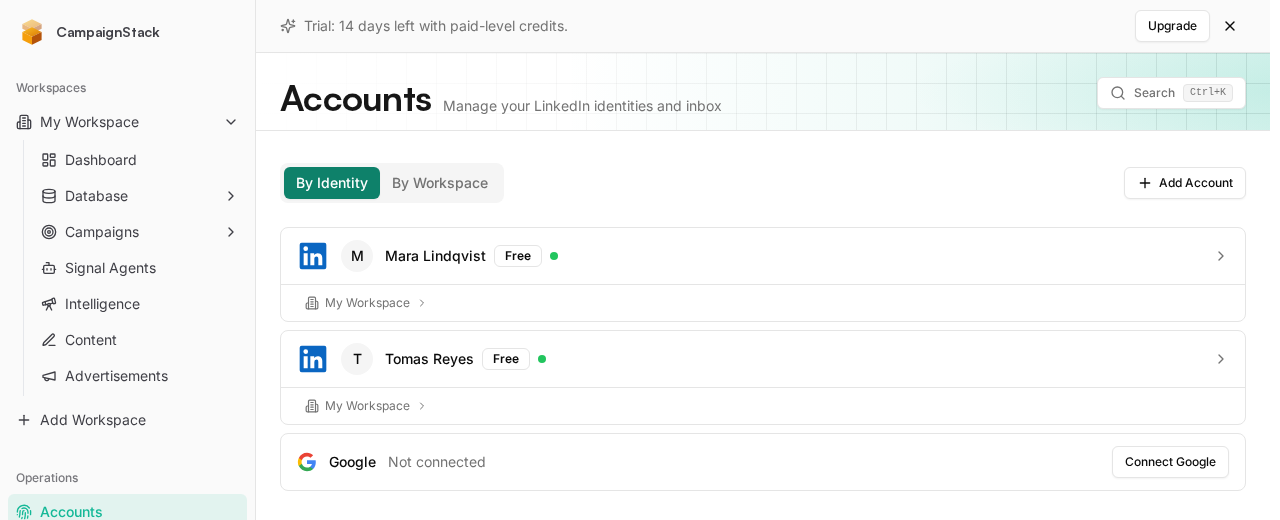
The budget belongs to the account, not to the client
Every kind of action has its own daily limit on every account: connection requests, messages, replies, likes, comments, profile views, enrichments, searches. The limits are recomputed each night from the account's plan and connection count, ramped up over the first weeks, and reduced on weekends. The account page shows today's numbers as they stand.
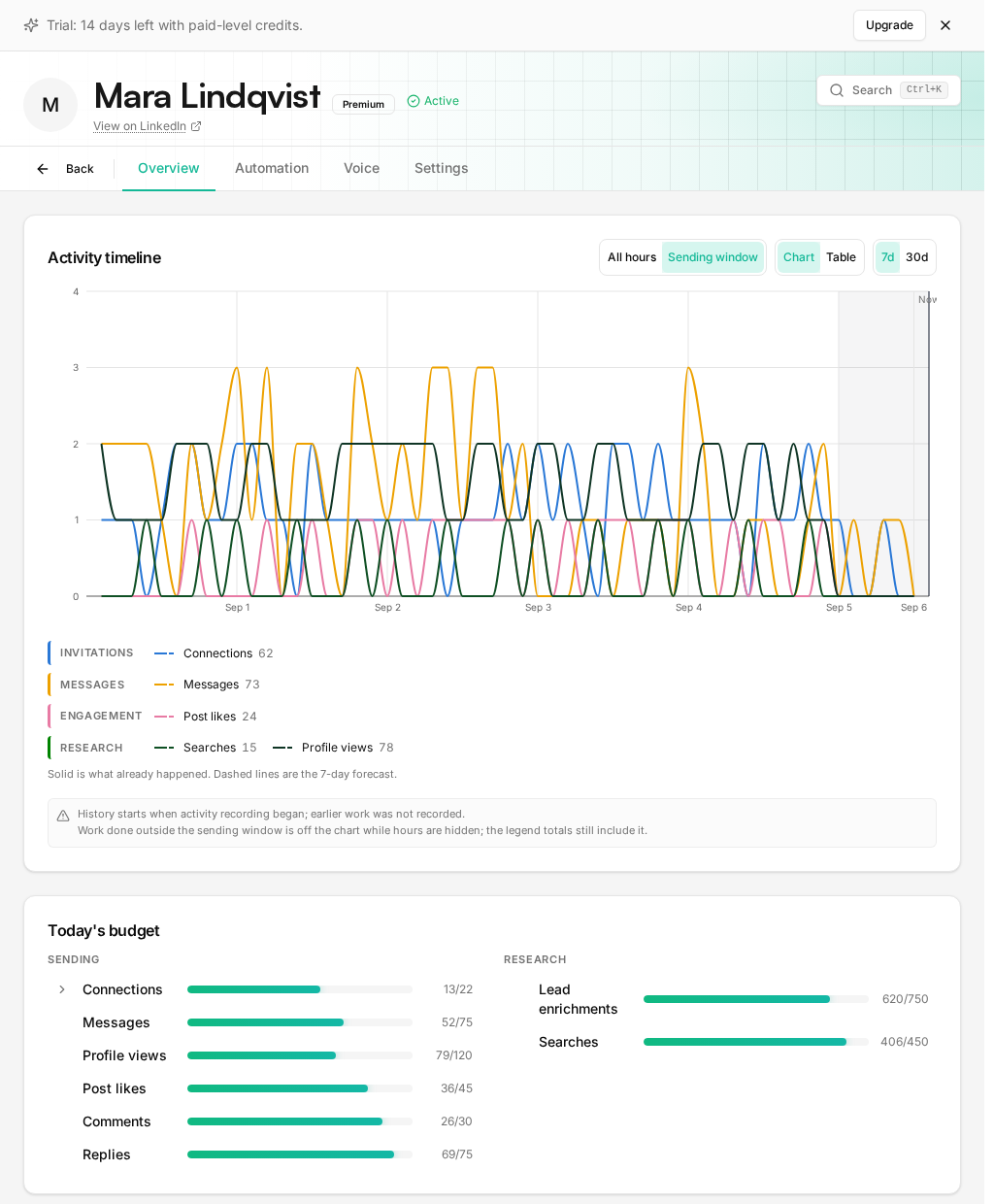
This is the fact that shapes everything else in this guide. If two client workspaces both put the same account in their pools, they are drawing from one budget, not two. The account does not know or care which workspace asked. That is deliberate: LinkedIn only sees the account, so the limit has to live where LinkedIn looks.
Reads and writes are budgeted separately. Viewing a profile or reading a group costs read budget; sending anything costs write budget. One account can do both, and often should, but a read-heavy job eats read budget the account might have wanted for enrichment before a send. That is the reason the pools below exist.
Which account reads, which one sends
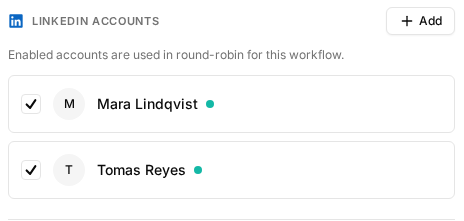
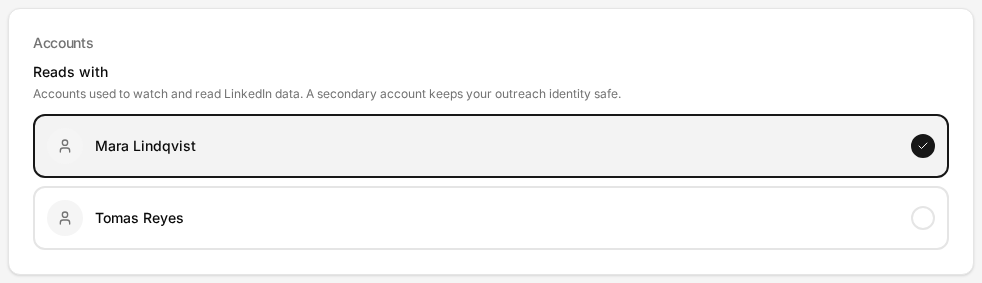
A campaign workflow has one list of LinkedIn accounts, and every enabled account in it can send. A signal agent has two lists: the accounts that read (a post, a group, an inbox) and the accounts that act (connect, comment, reply). Whether you can edit those lists depends on what the agent watches, because some things can only be read by one specific account.
| Runs from | Reads with | Acts with | Locked? |
|---|---|---|---|
| Campaign workflow | Not applicable. Profile reads for enrichment use the same pool. | The workflow's LinkedIn accounts. Several enabled accounts rotate. | No. Edit the list any time; leads already bound to an account keep it. |
| Post engager | A free pool: any accounts you pick read the post. | A free pool, chosen per lead by remaining budget. | No. |
| Group watcher | Exactly one account, the group member. Only a member can see the group. | A free pool. | The read side is. Sourcing stops silently if that account goes down; outreach continues. |
| Connection watcher | The one account it watches. | The same account. The connection was accepted by that account, so the welcome comes from it. | Yes, for life. Pauses when the account is unavailable, resumes when it recovers. |
| Message watcher | The one inbox it watches. | The same account. A reply from any other account is a different conversation. | Yes, for life. Same pause and resume. |
What round-robin actually rotates
Enable several accounts on a workflow and new leads are spread across them. But the word round-robin undersells what happens, and oversells it. Four rules.
For a lead with no account yet, the executor ranks the enabled accounts by remaining daily budget for the action about to run, and picks the roomiest. Headroom is the minimum remaining across the action types the step needs.
The first touch stamps the account on the lead. From then on that lead's steps run from that account, even when it has no budget left today. The lead waits for tomorrow rather than moving, because a follow-up from a second account is a stranger writing in.
If one enabled account is already a first-degree connection of the lead, it is preferred over the load balancer, as long as it still has at least five actions of headroom. Below that, the preference yields, so a whole list cannot pile onto one account.
Even with budget to spare, a step dispatches one LinkedIn write per tick. The daily budget bounds the day; this bounds the burst.
The three things that run per account, not per campaign
Some automation is bound to one account for life and has nothing to do with any campaign. It lives on the account's Automation tab, and it is split into two groups because one of them sends messages under the account's name and the other does not.
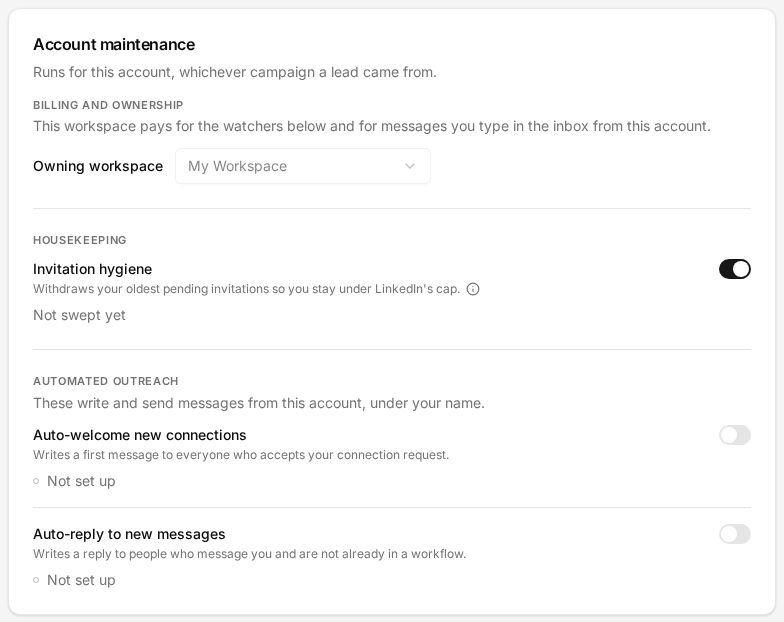
- Invitation hygiene. On by default. LinkedIn caps pending invitations near 400, and an account above that sends nothing. The daily sweep withdraws the oldest sent invitations to keep the account under the cap, never one younger than seven days. Withdrawals have their own budget and never touch the connection-request budget.
- Auto-welcome new connections. Off until you switch it on. Notices newly accepted connections and welcomes them through a reviewed workflow. The preview under the switch shows the brief the first message is written against, so you know what will go out under the account's name.
- Auto-reply to new messages. Off until you switch it on. Drafts replies to inbound messages from people who are not already in a sequence. Drafts wait for review unless you chose otherwise.
All three are billed to the account's owner workspace, which is why that workspace is chosen here. One watcher per kind per account, across all workspaces: if another workspace already runs the watcher for this account, the card says so and the switch is theirs.
The proxy, the country, and reconnecting
The Settings tab is where the account's plumbing lives. Most accounts never need it after the first day.
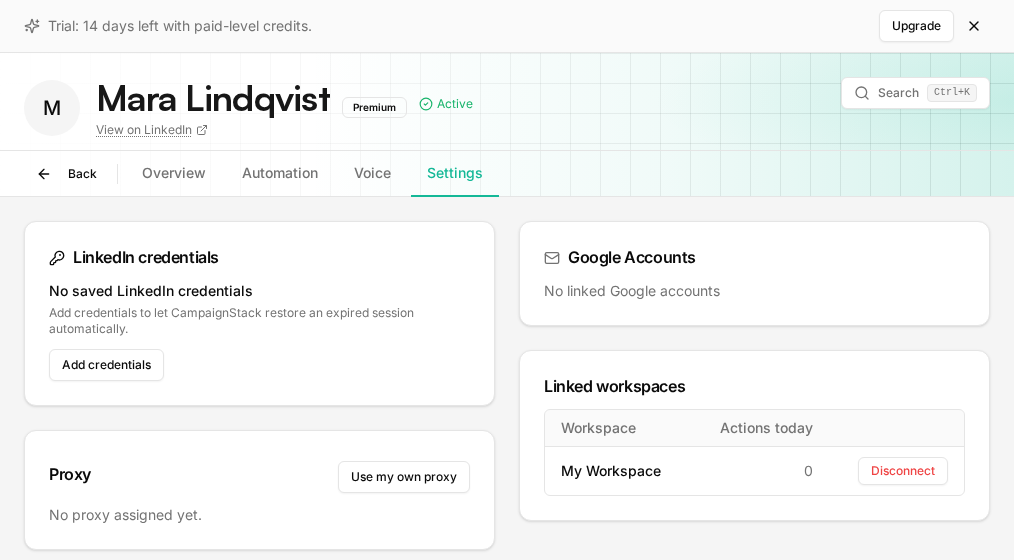
The proxy is assigned from our pool by default. If the client insists on their own, or you already run one, attach it here: it is validated before it is saved, it is never shared with any other account, and if it stops responding the account fails over to a pool proxy and tells you. The country sets the account's local time, which is what business hours and the daily budget reset are computed from; an account with no country runs on UTC and says so on its Overview tab.
Sessions are re-validated before each day's actions. When one is confirmed dead, the account is marked expired, its budgets go to zero, and every lead bound to it waits. Paste a new cookie, or reconnect from the extension, and the same profile picks up where it stopped. If you save the account's LinkedIn credentials here, encrypted, the system tries to restore an expired session by itself before asking you.
The short version
| Connect or reconnect an account | Operations, Accounts, then the account |
| Daily budgets and the activity timeline | The account's Overview tab |
| Invitation hygiene, auto-welcome, auto-reply | The account's Automation tab |
| The owner workspace | The account's Automation tab, top of the card |
| Proxy, saved credentials, linked workspaces | The account's Settings tab |
| Which accounts a campaign workflow rotates | The workflow editor, Settings, LinkedIn Accounts |
| Which accounts a signal agent reads and acts with | The agent's Settings page, Accounts card |
| Which Google account emails send from | The workflow editor, Settings, Email Sending |
Frequently asked questions
Can one LinkedIn account serve several client workspaces?
Yes. An account is linked to one or more workspaces and any of them can put it in a pool. Its daily budget does not multiply: every workspace draws from the same per-account limits, so two clients rotating the same account share its day.
What is the owner workspace?
The workspace that pays for the account's maintenance, meaning invitation hygiene and the two watchers, and for messages you write by hand from the inbox. It has to be one of the workspaces the account is linked to. Change it from the account's Automation tab.
Is round-robin the same as spreading one campaign across accounts?
Only for new leads. Rotation picks the account with the most remaining budget for each new lead, then binds the lead to it. A campaign on three accounts is three interleaved campaigns, each conversation staying on the account that started it, not one campaign whose messages come from whoever is free.
What happens to a workflow when one of its accounts expires?
Leads bound to that account wait; nothing is failed and nothing moves to another account. New leads are routed to the accounts still usable. When the session is reconnected, the waiting leads resume where they stopped. Signal agents bound to that account pause and resume on their own.
Do I need a separate account for reading and a separate one for sending?
Not as a rule. Reads and writes have separate budgets on the same account, so one account can do both. The split makes sense when a read-heavy job, such as watching a busy group, would eat into an account you want kept quiet for outreach, or when the group is only visible to one specific member.
Where does my session cookie go?
It is used once, to open an encrypted browser profile on our server bound to the account's proxy, and it is not stored in the database. Reconnecting means pasting a fresh one. Disconnecting ends the session from LinkedIn's side as well, if you revoke it there.
Get started
Your clients' next meetings start here.
Connect an account, describe the customer, and the first drafts are waiting the next morning. Approve them by hand until you would rather not.